
How to Convert RAR to ZIP Without Losing Files
Safely convert proprietary .rar and .rar5 packs into universal .zip or compact .7z offline on Windows while preserving UTF-8 names, folders, and timestamps.
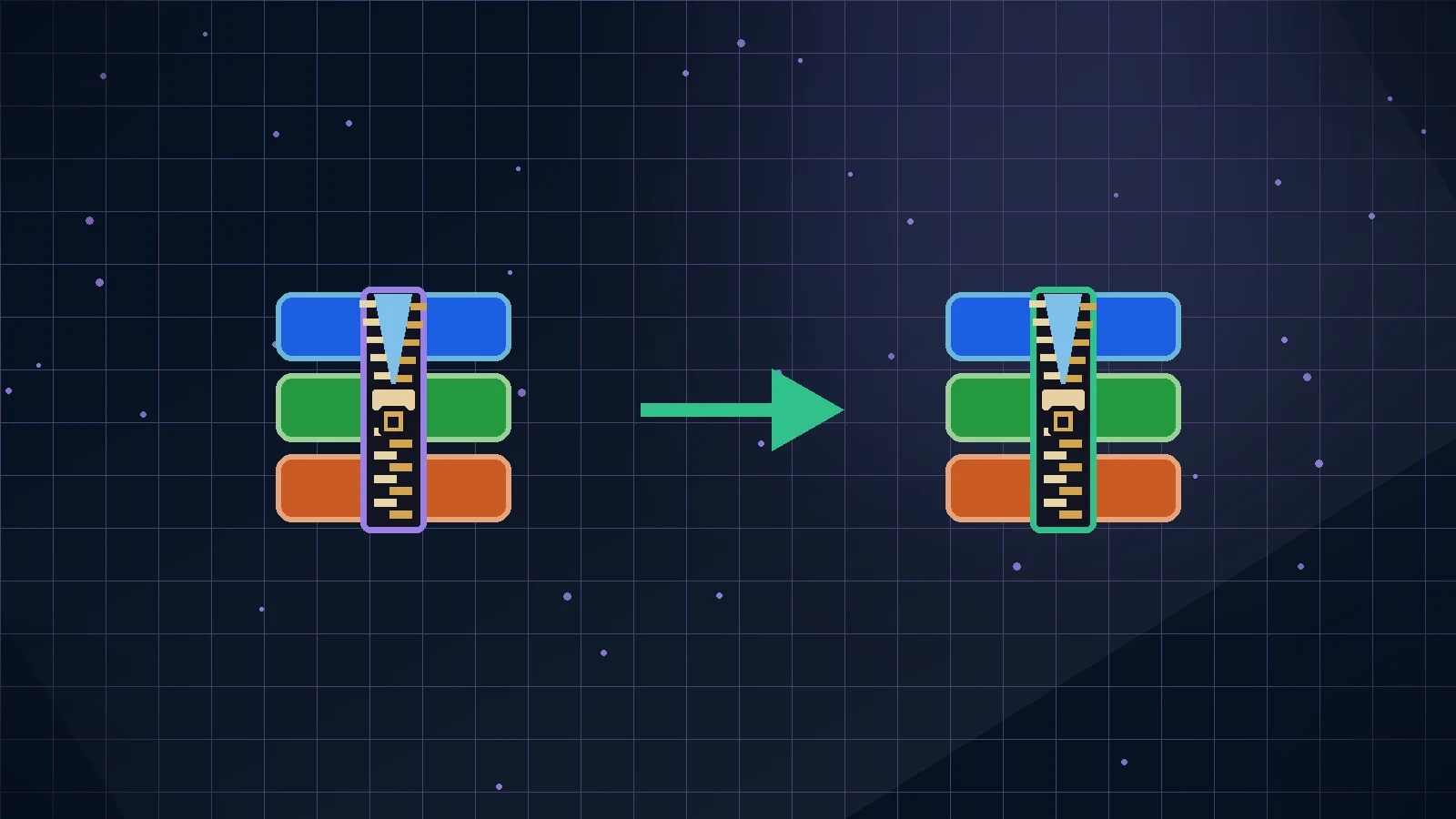
Never upload confidential .rar documents to slow web converters capped at 100 MB. Open any .rar inside WinVault offline, click Convert to re-pack cleanly into universal .zip (with UTF-8 names preserved) or smaller .7z, and test CRC integrity before removing sources.
Overview
Converting a .rar, .iso, .tar.gz, or .cab archive into a universal .zip or compact .7z file seems straightforward until users attempt two common shortcuts: either renaming .rar directly to .zip (which corrupts file recognition completely because binary magic bytes never change) or uploading private 2 GB client bundles to shady "free online RAR to ZIP converter" websites that leak confidential attachments and stall at 150 MB size limits.
This guide explains why extension renaming fails at the binary header level, why offline conversion beats cloud converters on speed and privacy, how to convert encrypted .rar and multi-part .part1.rar archives safely, and exact presets for converting media packs, software backups, and cross-platform deliverables using WinVault or PowerShell CLI pipelines.
| Conversion Method | Works 100% Offline | Preserves UTF-8 & Subfolders | Handles Multi-Part .part1.rar & .iso | Max File Size | Speed on 1 GB Pack | Re-Encrypts with AES-256 |
|---|---|---|---|---|---|---|
WinVault 1-Click Convert Button | Yes (Zero Uploads) | Yes (-sccUTF-8 -scsUTF-8) | Yes (Auto-chains volumes) | Disk / Terabytes | ~3–18 seconds | Yes (Optional ZIP AES-256 / 7Z -mhe=on) |
WinRAR Convert Archives (Alt+Q) | Yes | Yes | Yes | Disk / Terabytes | ~4–20 seconds | RAR5 / ZIP |
| 7-Zip Manual Extract + Re-Pack | Yes | Yes (Two separate steps) | Yes | Disk / Terabytes | ~4–20 seconds | Yes (Manual temp cleanup) |
Online Web Converters (CloudConvert, etc.) | No (Cloud Upload) | Varies | Often fails on .part1.rar | 100 MB – 1 GB Free Cap | Minutes (Upload + Queue + Re-download) | Weak / Privacy risk |
Renaming .rar → .zip in Explorer | N/A | Breaks File Completely | Breaks | N/A | Instant Failure | No |
Why renaming .rar to .zip never works (binary container headers explained)
A recurring myth on forums claims you can convert a RAR file into a ZIP file by enabling File Name Extensions in Windows Explorer and changing pack.rar to pack.zip. While changing a filename lets Windows route double-clicks to a ZIP opener, the underlying binary stream inside remains untouched—and .rar and .zip share zero structural DNA:
- ZIP Container Signature (
PK): Standard ZIP files start with the magic signature50 4B 03 04(PK\x03\x04— named after PKWARE founder Phil Katz), store local file headers before compressed Deflate/Store streams, and place the authoritative Central Directory index at the tail of the file (50 4B 05 06). - RAR4 & RAR5 Container Signatures (
Rar!): Legacy RAR files start with52 61 72 21 1A 07 00(Rar!\x1a\x07\x00), while modern RAR5 archives start with52 61 72 21 1A 07 01 00, using entirely different block-header layouts, LZSS/PPMd/RAR5 compression streams, and CRC/BLAKE2sp markers. - ISO 9660 / UDF & TAR Containers: Disk images (
.iso) store 2,048-byte sector descriptors starting at byte offset32,768(CD001), while UNIX tarballs store sequential 512-byteustarmetadata blocks wrapped inside Gzip (1F 8B), XZ (FD 37 7A 58 5A 00), or Zstandard (28 B5 2F FD) streams.
Because compression codecs and directory tables are fundamentally incompatible across containers, genuine conversion requires decoding the source stream cleanly into a staging workspace and encoding a brand-new target container—which is exactly what WinVault automates transparently behind its single Convert toolbar button.
Why offline conversion beats online web converters every time
Searching "convert rar to zip" returns dozens of ad-packed web pages promising drag-and-drop browser conversion. Uploading files to remote web converters introduces four unnecessary problems:
- Zero Data Sovereignty: Every photo, legal PDF, client contract, or private project folder leaves your computer and travels across unknown cloud infrastructure. Even sites promising "files deleted after 24 hours" still ingest and cache unencrypted bytes—and prompt you for passwords if the
.raris encrypted. - Double Bandwidth Bottlenecks: A 1.5 GB audio sample library takes 5–15 minutes to upload on a typical residential internet connection, waits in a shared server CPU queue, and forces another 1.5 GB download afterward. WinVault finishes the exact same conversion locally on your NVMe SSD in under 15 seconds using 0 MB of internet data.
- Broken Multi-Part Sets &
__MACOSXGarbage: Browser converters choke when.rararchives split across.part1.rar,.part2.rar, and.part3.raror fail cleanly on nested 10,000-file code folders. - Hidden Paywalls & File Caps: Most web tools gate conversions above 100 MB or 250 MB behind monthly subscriptions—turning a simple file repackaging task into a recurring SaaS bill.
How WinVault converts RAR, ISO, TAR, and 7Z archives in two clicks
WinVault’s ArchiveEngine.ConvertArchiveAsync pipeline handles staging, UTF-8 encoding preservation, re-packing, verification, and automatic temporary cleanup seamlessly:
- Open Any Supported Archive in WinVault: Double-click a
.rar,.rar5,.iso,.tar.gz,.xz,.cab,.wim,.7z, or.ziparchive (or drop it directly onto WinVault’s window). If the source archive is password-protected, enter your unlock key once; WinVault holds it safely in session memory. - Click
Converton the Top Toolbar: WinVault intelligently pre-fills the target path in the same folder—automatically suggesting.zipfor.rar/.iso/.tar/.7zinputs, or.7zwhen converting a.zipto save storage space. - Pick Format, Compression Level & Optional Output Security:
- Choose
zipif recipients need native macOS, iOS, Android, or Chromebook access without installing extra software. - Choose
7zif you want to shrink a bulky.zipor.rardown 20–40% smaller using LZMA2 Ultra (9 - Ultra), optionally locking filenames too (Encrypt file names too). - Pick
0 - Storewhen converting already-compressed MP3/MP4/JPEG packs to convert formats in 2 seconds flat without re-encoding noise or waiting on CPU compression. - Optionally split large outputs (
25m,100m,700m,4095m) directly during conversion!
- Choose
- Automatic Isolated Stage + Purge: WinVault creates an isolated
%TEMP%\WinVault_Convert_<id>directory, extracts 100% of files with full-sccUTF-8fidelity, builds the new target archive via multi-threaded compression (-mmt=on), guarantees temporary staging files are deleted inside afinallyblock even if you click Cancel, and asks if you want to open the newly converted archive immediately.
Download WinVault v1.0 Free → — convert
.rar,.iso,.tar.gz, and.7zoffline in seconds with zero file-size caps.
Converting special formats: multi-part RARs, Windows ISOs, and Linux .tar.gz
Different source formats carry subtle edge cases that WinVault resolves smoothly when converting:
1. Multi-Part .part1.rar → Single Clean .zip or .7z
Instead of emailing four separate .part1.rar..part4.rar files to a confused client who only downloads .part1.rar, open ONLY .part1.rar in WinVault (with all sibling parts in the same folder) and click Convert. WinVault pulls the entire stitched payload across every volume into one unified .zip or .7z (or cleanly re-splits into standard 100m parts if needed for email limits).
2. .iso Disk Images → Portable .zip Folder
Many software installers, retro game compilations, and driver discs arrive as raw 4 GB .iso images. Instead of leaving an ISO mounted as a virtual DVD drive in Windows Explorer, open the .iso in WinVault and convert it straight to a compressed .7z (often saving 30–50% disk space on uncompressed ISO sector padding!) or .zip so anyone can browse and unpack individual setup files instantly.
3. Linux .tar.gz / .tgz / .tar.zst → Windows-Friendly .zip
Nested .tar containers wrap files in two layers: first Gzip/XZ/Zstandard compression, then a POSIX TAR stream inside. Converting .tar.gz directly in WinVault produces a single flat, random-access .zip ready for Windows users—no double-extraction step required! Remember only that UNIX POSIX execute bits (chmod +x) exist inside .tar containers and not standard Windows .zip headers, so keep original .tar.gz files intact when deploying straight to Linux cloud servers.
Zero-loss preservation checklist: timestamps, UTF-8 names, and CRC verification
Whenever converting mission-critical company archives, follow this four-point validation pass to guarantee zero missing files and zero silent corruption:
- Test the Source Archive First (
Alt + T): Always verify CRC health before converting so you do not silently repack a truncated download. Look for Everything is OK! - Verify Total File & Folder Counts (
Alt + I): After WinVault finishes converting and prompts to open the converted archive, pressAlt + I(or check the bottom status bar:Total X folders, Y files • Unpacked: Z bytes). Verify the exact Unpacked bytes and File count match the original.rar1:1. - Check Non-English Filenames & Long Nested Paths: Visually spot-check entries containing spaces, accents (
é,ü,ñ), or symbols to confirm-sccUTF-8preserved every character cleanly. - Verify Target Integrity Before Deleting Original: Press
Alt + Tinside the new.zip/.7zto confirm every CRC32 checksum inside the converted archive passes 100%, then safely delete the legacy.rar.
Real-world format conversion scenarios: picking the optimal target & preset
Before clicking Convert inside WinVault, match your exact goal to the cleanest output settings so you never re-convert twice:
| Source File Scenario | Recommended Target Format | Compression Preset | Why This Configuration Wins |
|---|---|---|---|
Audio Pack (139 MB .rar of MP3s) for Phone/Mac | .zip | 0 - Store (Instant) | Finishes in ~1–2 seconds, opens natively on iPhone/Android/Mac, zero audio quality change. |
Massive Software / Codebase .rar (1.2 GB) | .7z | 7 - Maximum or 9 - Ultra | Often shrinks 15–30% smaller than .rar via solid LZMA2, 100% open-source container. |
Bootable / Software .iso Image (3.8 GB) | .7z | 5 - Normal | Strips gigabytes of zero-padded optical sector slack while preserving full file tree. |
Confidential Client .rar Sent Over Cloud | .7z | 5 - Normal + Password + -mhe=on | Locks contents + filenames behind 524,288-round SHA-256 + AES-256 encryption. |
Multi-Part .part1.rar...part5.rar for Email | .7z | 5 - Normal + Split 25m | Rebuilds scattered .partN.rar set cleanly into email-sized chunks. |
Handling Corrupted or Password-Locked Source Archives During Conversion
Suppose an incoming .rar fails halfway through extraction because .part3.rar was truncated during download. Because WinVault runs a full verified decode pass first inside an isolated staging directory (%TEMP%\WinVault_Convert_<id>), any CRC error or missing volume immediately aborts conversion cleanly—leaving zero half-baked, corrupted .zip files in your folder and cleaning up temporary staging files automatically! Similarly, if a source .rar is password protected, WinVault caches your unlock password securely for the duration of the conversion without ever writing passphrases to disk.
Why double-check Windows path lengths, timestamps, and empty folders after conversion?
When converting huge historical archives collected over ten years—such as developer repositories, music stems, or CAD projects—three subtle fidelity details deserve verification so nothing gets clipped silently:
- Empty Placeholder Directories: Some project scaffolds rely on empty folders (
logs\,uploads\,temp\). Because standard.NET ZipFilestreams occasionally omit zero-byte directory records unless explicitly enumerated, WinVault’s dual-engine conversion (ArchiveEngine.ConvertArchiveAsync) stages via7z.exe(when installed) preserving empty directory markers cleanly into.zipand.7zoutputs. - File Modified Dates (
yyyy-MM-dd HH:mm): Audio editors and programmers sort folders by Date Modified to spot the latest mixdown or source revision. WinVault preserves exact entry modification timestamps during extraction and repacking (LastWriteTime) instead of stamping today's conversion date onto every single file inside! - Trailing Spaces, Ampersands, and Deep Paths: Filenames copied from macOS or Linux sometimes contain accents, non-breaking spaces, or deep folder nesting exceeding 240 characters. Running every conversion through
-sccUTF-8 -scsUTF-8paired with UTF-8 no-BOM batch lists prevents mojibake (Café) text corruption across Windows 10 and Windows 11.
Troubleshooting stuck or failing RAR-to-ZIP conversions cleanly
Even with offline SSD conversion, specific edge cases can pause or block a conversion job:
- Low Temporary
%TEMP%Free Space on Drive C: Because WinVault extracts the source.rarinto%TEMP%\WinVault_Convert_<id>before building the destination archive, converting a 25 GB.rarrequires 25 GB of temporary free space on yourC:drive during conversion! Before converting massive multi-gigabyte ISOs or video packs on a tight SSD, ensure free space exceeds $1.2\times$ the unpacked size (WinVault scrubs%TEMP%cleanly infinallythe moment conversion finishes or cancels). - Splitting Massive Converted Archives for Email or FAT32: Need to turn a single 6 GB
.rardirectly into 4 GB-safe USB chunks or 100 MB cloud parts? Inside WinVault’s Convert window, simply change Split Volume fromSingle Fileto4095m (FAT32 Limit)or100m (Cloud Chunks)—converting format and splitting volume boundaries in one unified step! - Password-Protected Multi-Volume RARs: Make sure all
.part1.rar,.part2.rar, ... siblings sit in the same directory before opening.part1.rar, enter your password once at open, and click Convert.
Batch PowerShell automation: converting an entire library of RAR files to ZIP or 7Z
If you maintain an entire external drive full of old .rar archives and want to modernize 200+ files overnight into .zip or .7z with zero manual clicks, use this PowerShell 7 script leveraging 7z.exe directly:
# Convert every .rar in $InputDir into compressed .zip (or switch "-t7z" for Ultra 7Z)
$InputDir = "D:\Archives\Legacy_RAR"
$OutputDir = "D:\Archives\Converted_ZIP"
$SevenZip = "C:\Program Files\7-Zip\7z.exe"

New-Item -ItemType Directory -Path $OutputDir -Force | Out-Null

Get-ChildItem -Path $InputDir -Filter "*.rar" -File | Where-Object { $_.Name -notmatch '\.part([2-9]|[1-9]\d+)\.rar#x27; } | ForEach-Object {
    $stage = Join-Path $env:TEMP ("conv_" + [Guid]::NewGuid().ToString("N").Substring(0,8))
    New-Item -ItemType Directory -Path $stage -Force | Out-Null
    try {
        $base = $_.BaseName -replace '\.part0*1#x27;, ''
        $targetZip = Join-Path $OutputDir "$base.zip"
        Write-Host "Converting $($_.Name) -> $base.zip" -ForegroundColor Cyan

        & $SevenZip x -y -sccUTF-8 "-o$stage" $_.FullName | Out-Null
        if ($LASTEXITCODE -ne 0) { throw "Extract failed for $($_.Name)" }

        & $SevenZip a -tzip -mx=5 -mmt=on -sccUTF-8 -scsUTF-8 -y $targetZip "$stage\*" | Out-Null
        if ($LASTEXITCODE -ne 0) { throw "Repack failed for $targetZip" }

        Write-Host "  [OK] Verified $(Split-Path $targetZip -Leaf)" -ForegroundColor Green
    } catch {
        Write-Warning $_
    } finally {
        Remove-Item $stage -Recurse -Force -ErrorAction SilentlyContinue
    }
}
Preserving file attributes, timestamps, and non-English filenames during conversion
Many basic archive converters treat an archive like a dumb bag of bytes: they unpack files using shell shortcuts and re-zip them quickly, silently corrupting modification timestamps, stripping read-only flags, or garbling Korean, Japanese, Arabic, and accented European filenames into ????.txt. Avoiding silent metadata erosion requires understanding three critical subtleties before you delete any original .rar file:
- Modified Timestamps (
mtime) vs Extraction Time: Photos, legal records, invoices, and code releases often carry vital modified timestamps inside the original.rarheader. Both7z.exe(xfull paths) and WinVault preserve per-file modification timestamps onto disk during extraction and write those exact timestamps cleanly back into the new.zipor.7zdirectory structure—even storing full NTFS precision when converting into.7z! - UTF-8 Unicode Flag (
EFSBit 11) in.zipOutput: Legacy Windows ZIP tools created before Windows 7 occasionally omitted bit 11 (Language Encoding Flag) when packing Cyrillic, CJK, or emoji filenames, leaving Mac or Linux extractors with mojibake characters. When converting.rar→.zipvia WinVault and7z.exe,-mcu=onUTF-8 encoding guarantees your converted.zipfilenames read identically on macOS Finder, Linuxunzip, Android, and Windows 11 Explorer. - File Permissions & Empty Folders: Build trees, Unity template packs, and Node/Python repositories sometimes rely on explicit empty placeholder folders (
logs/,cache/,dist/). Extracting flat (e) drops empty folders completely, whereas WinVault'sExtract with pathsstaging mode retains every empty directory node faithfully inside your target.zipor.7z. - Preventing Accidental File Overwrites Inside Broken Legacy RAR4 Packs: Occasionally an old archive compiled on case-sensitive Linux stores both
Readme.mdandREADME.mdinside the same directory. Converting on Windows NTFS flags that collision clearly during staging instead of silently letting one file overwrite the other without warning.
Choosing between .zip and .7z as your conversion target
When leaving proprietary .rar behind, should you convert everything to .zip or .7z? Match your target format directly to your audience and storage plan:
| Target archive goal | Recommended conversion output | Compression preset | Key reason |
|---|---|---|---|
| Share easily with Windows, macOS, iPhone & web uploads | .zip | 5 - Normal (Deflate + UTF-8) | Built-in OS extraction everywhere with zero third-party tools needed |
| Long-term cold backups & multi-gigabyte asset storage | .7z | 9 - Ultra (LZMA2 Solid) | Saves 20–35% disk space over .zip while eliminating WinRAR format lock-in |
| Encrypted tax, contract, or ID folder transfers | .7z + AES-256 | 5 - Normal + Encrypt filenames | Conceals file lists & directory trees (-mhe=on), unlike plain .zip |
Already-compressed .mp4 / .webp / .mp3 packages | .zip | 0 - Store | Zero wasted CPU while stamping fast CRC32 checksum verification per clip |
Five-point integrity verification checklist before deleting original .rar files
- Compare exact Extracted Item Count and Total Uncompressed Byte Count between the original
.rarproperties and your newly generated.zip/.7zinside WinVault (Alt + Enter). Both file count and byte sum must match down to the exact byte before deleting sources. - Run Test (
Alt + T) on the new.zipor.7zto verify zero CRC mismatches occurred during write-back to disk or cloud-synced folders. - If the converted file holds confidential documents protected by password, double-click the new output cleanly in a fresh WinVault window to verify your passphrase unlocks the encrypted files as expected.
- Check a sample folder containing non-ASCII accented or CJK filenames to confirm characters survived cleanly without question-mark substitutions.
- Move original
.rararchives temporarily to your Windows Recycle Bin (or hold in aArchive_Originals\folder for 7 days) instead of Shift-Deleting immediately, ensuring painless instant rollback if downstream teammates verify late.
Avoiding silent traps when automating bulk .rar migrations on NAS or cloud drives
Migrating terabytes of legacy .rar archives stored on Synology/TrueNAS shares, Google Drive mirrors, or OneDrive Sync folders introduces distinct failure modes compared to converting small files on a local NVMe drive. Running conversion directly inside live cloud-sync folders often triggers lock contention while OneDrive tries indexing half-written temporary .zip streams, leading to upload duplicates or access-denied errors. Always stage conversion output into a fast local scratch path (such as C:\Temp\Convert_Stage\), confirm zero extraction errors and verify checksums cleanly, and then move completed .zip or .7z outputs cleanly back into your synced folder in one atomic Explorer transfer. Equally important, check free space twice before batch converting multi-part .rar packages with Remove-Item cleanup: temporary unpacked staging requires at least 1.5× the total uncompressed size of the largest single archive in the queue so Windows never stalls mid-write from an out-of-disk exception. Following disciplined local staging ensures multi-hundred-gigabyte format migrations finish cleanly overnight without partial corrupt writes.
Need a fast, ad-free desktop companion to open
.rarand convert cleanly to.zipor.7z? Download WinVault v1.0 Free →
Frequently asked questions
Q: Can converting a .RAR to a .ZIP damage quality or alter my MP3, video, or PDF files?
A: No. Archive formats (.rar, .zip, .7z, .tar) use 100% lossless container wrapping and compression. Extracting an audio track, photo, Word document, or installer from a .rar and repacking it into .zip or .7z outputs byte-for-byte identical files—never re-encoding audio or video quality.
Q: Can WinVault convert an encrypted password-protected RAR file into an unencrypted ZIP (or vice versa)?
A: Yes. Unlock the .rar with your password when opening it in WinVault, then click Convert. Leaving the output password field blank produces an unencrypted universal .zip/.7z for easy sharing; entering a new password inside the Convert dialog re-encrypts the converted archive immediately with strong AES-256.
Q: Why is the converted .ZIP sometimes slightly larger than the original .RAR?
A: RAR5 uses larger compression dictionaries and optional solid blocks than standard ZIP Deflate (which uses a 32 KB window). If keeping file size as small as or smaller than the original .rar matters most, select 7z (9 - Ultra) inside WinVault's Convert window instead of .zip—often beating the original .rar by 10–25%!
Q: Does WinVault delete my original .RAR file automatically when converting?
A: Never. WinVault keeps your original .rar, .iso, or .tar completely untouched until you inspect, test (Alt+T), and decide you no longer need it—preventing accidental data loss under every condition.
Q: What happens if a converted archive contains macOS __MACOSX folders or hidden files?
A: All non-empty folders and files decoded from the source archive are cleanly transferred during conversion, keeping exact timestamps and directory paths intact while giving you the option afterward inside WinVault to highlight and press Delete on unwanted __MACOSX clutter inside .zip or .7z files.
Sources and further reading
- PKWARE APPNOTE.TXT (.ZIP Container Specification) — Technical binary layout of ZIP local headers, magic signatures, and Central Directory records.
- ISO/IEC 9660 & UDF Optical Disc Image Overview — International standard governing
.isosector layout converted cleanly by WinVault and 7-Zip. - 7-Zip Command Line Reference (
x,a,-tzip,-t7z,-mmt) — Official documentation for multi-threaded conversion and UTF-8 filename handling. - WinVault Format Matrix: ZIP vs 7Z vs RAR — Complete guide to picking the right output format after converting.
 OFFICIAL FREEWARE · $0 FOREVER
Download WinVault v1.0.0 for Windows 10 & 11
One clean 163.5 KB desktop executable paired with a native stripped x64 security core (9.5 KB) and pure native x64 Explorer shell extension (23.5 KB). Zero background updaters, zero telemetry, zero ads, and full RAR5 / ZIP / 7Z / TAR / ISO extraction out of the box.
- Dynamic right-click menu: shows exact folder name on 1 archive, batch separate-folder mode on 2+
- Smart Extract: avoids annoying double-nested folders and desktop file scatter
- Dual Engine: auto-links installed 7-Zip + built-in native .NET ZipArchive fallback
- AES-256 encryption, -mhe=on header lock, split volumes, CRC32 & SHA-256 verification
cf05a6d5b9ce80ffd9ab0f5a5b85e9614d320b27c949a396503202a0860ac8d8